

Header
At the top of the prompt results page, you’ll find key information and actions.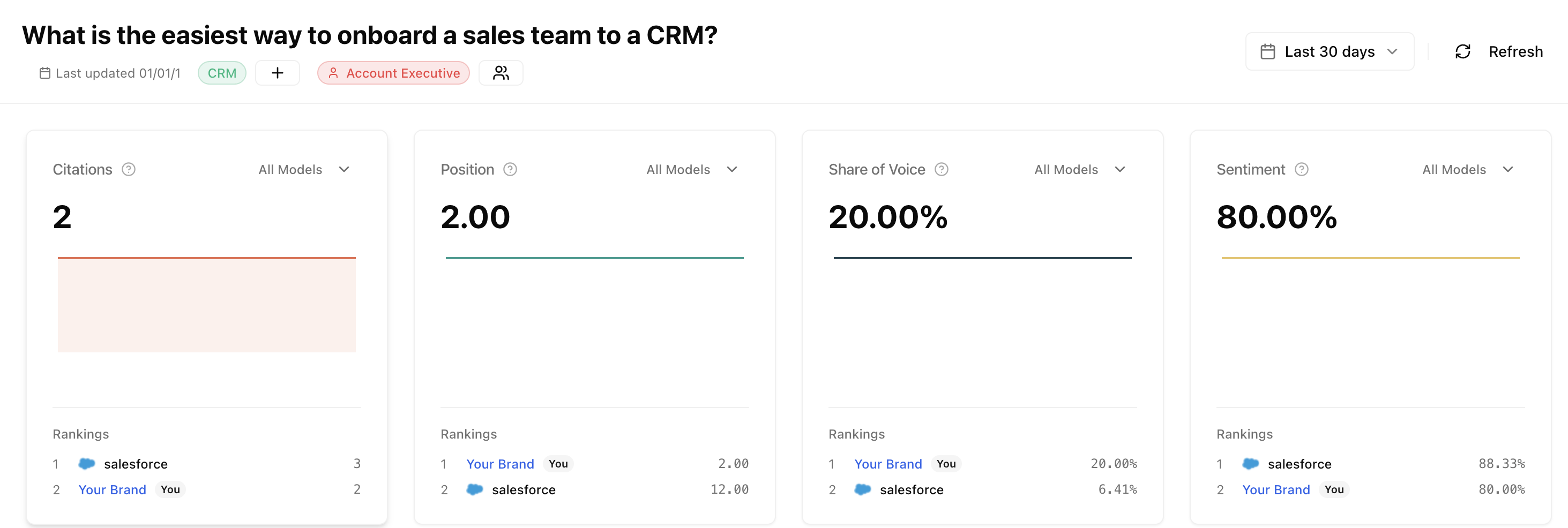
Last updated
See when data was last collected for this prompt. Click Refresh to manually trigger a new run and get fresh results.Quick actions
Organize and navigate without leaving the page:- Add tags - Group this prompt with tags like “Competitor Comparison”, “Feature Query”, or “Pricing”
- Attach personas - Assign personas (e.g., “Enterprise Buyer”, “SMB Owner”) to segment your analysis
- View prompt - Jump to the prompt configuration page
Core metrics
The header displays your four key performance indicators:Citations
How often your pages are cited as sources
Share of Voice
Your percentage of the AI response
Average Position
Your typical ranking when mentioned
Sentiment
How positively AI describes your brand
- Current value
- Trend direction (up/down arrow)
- Change from previous period
Improvements
If you have enabled improvements for this prompt, you will see recommended actions to boost your visibility.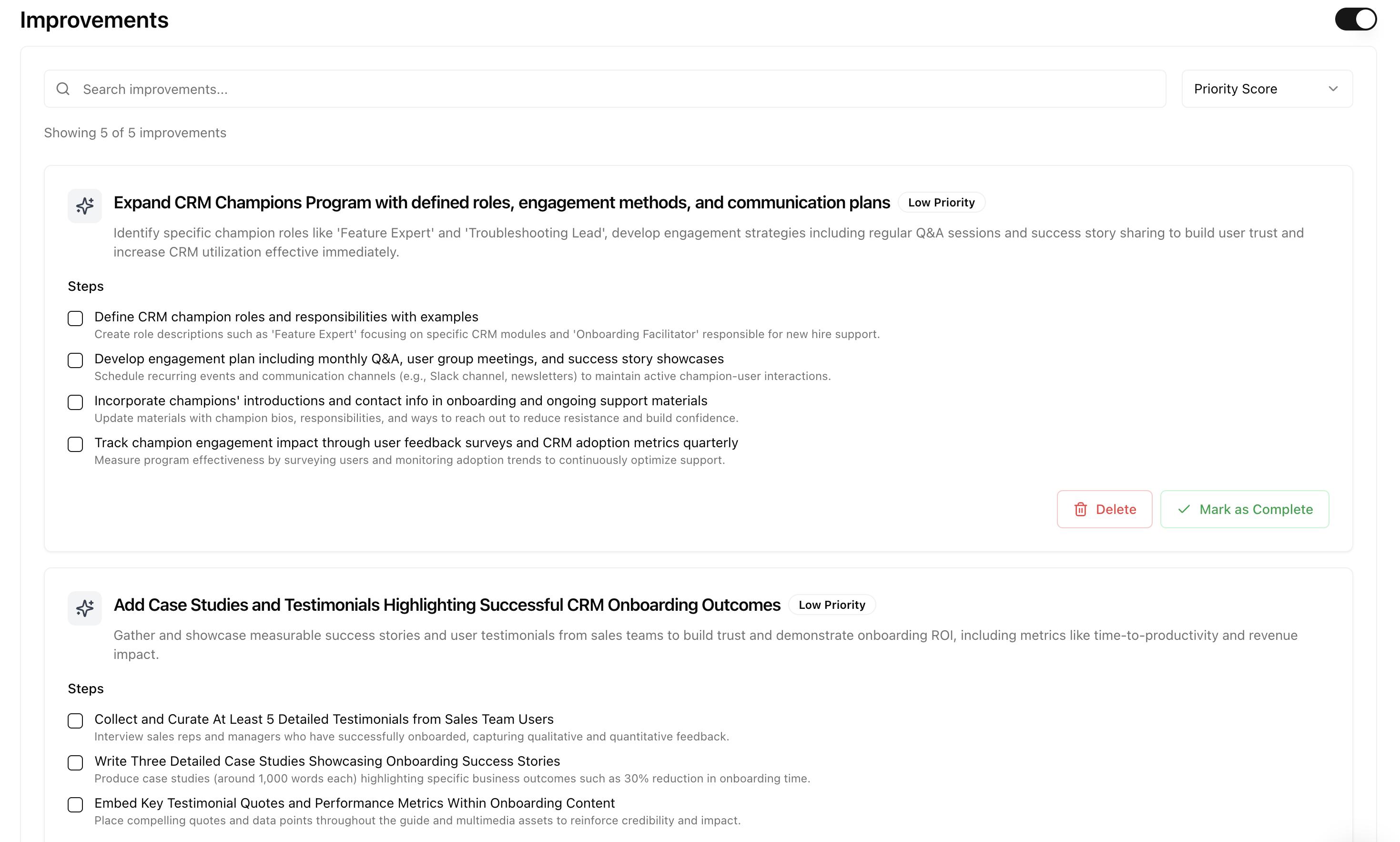
Understanding similarity scores
Understanding similarity scores
The similarity score tells you how well a page content matches the prompt, not how difficult it is to rank.
- High similarity (70%+): Content already relevant. Focus optimization here first.
- Medium similarity (40-70%): Partially relevant. May need expansion.
- Low similarity (below 40%): Different topic. Consider creating new content instead.
- /solutions/sales-crm at 89% directly addresses the query
- /features/reporting at 45% related but not specific enough
- /blog/marketing-tips at 12% wrong topic entirely
Sources
The sources section shows which websites AI models cited when answering this prompt.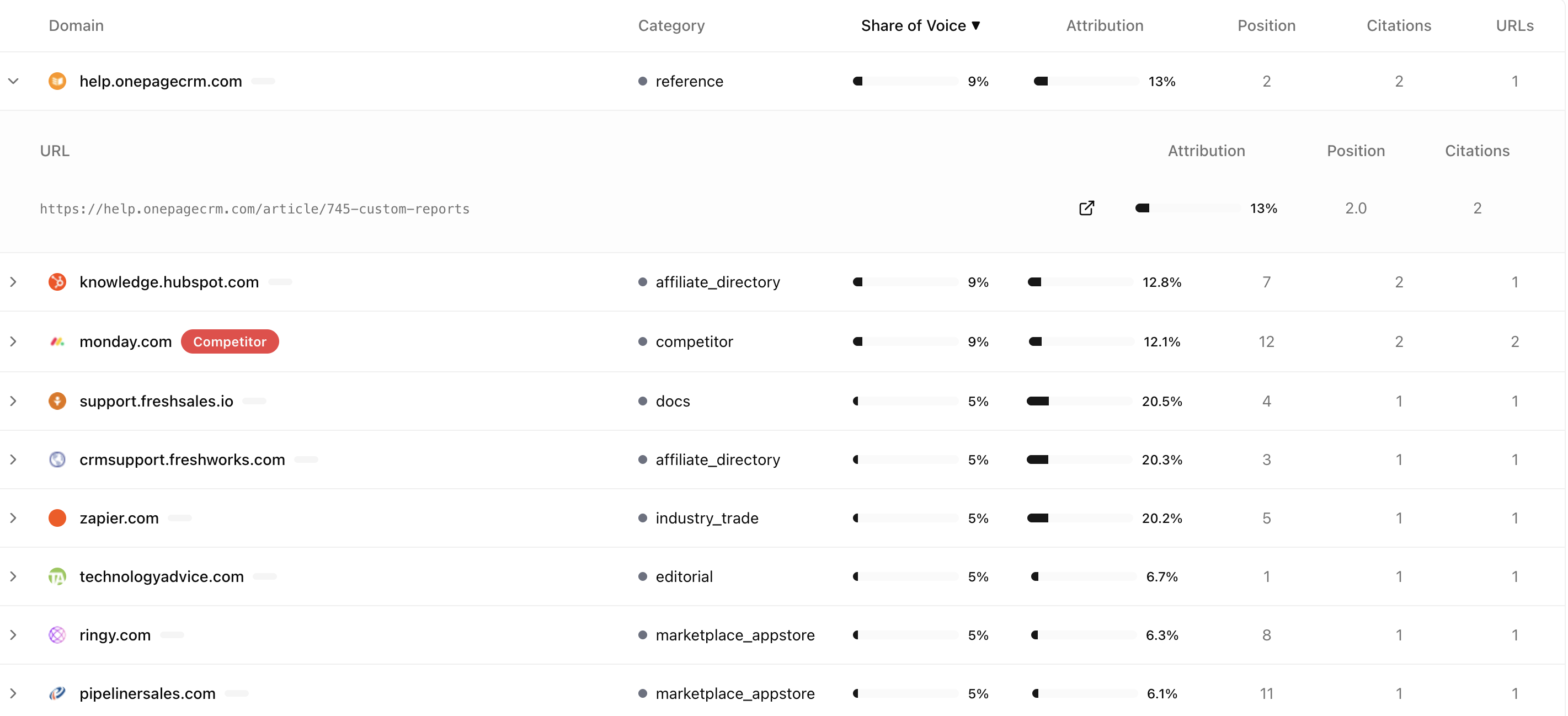
Source table
Sources are grouped by domain with these columns:Understanding source attribution
Share of Voice for sources shows where the answer meaning comes from, not just which links appeared.
In this example, even though Wikipedia has just one link, 68% of the actual meaning came from Wikipedia. Authoritative sources often shape the answer even when not prominently displayed.
What to look for
Responses
Below sources, you will find every individual AI response for this prompt.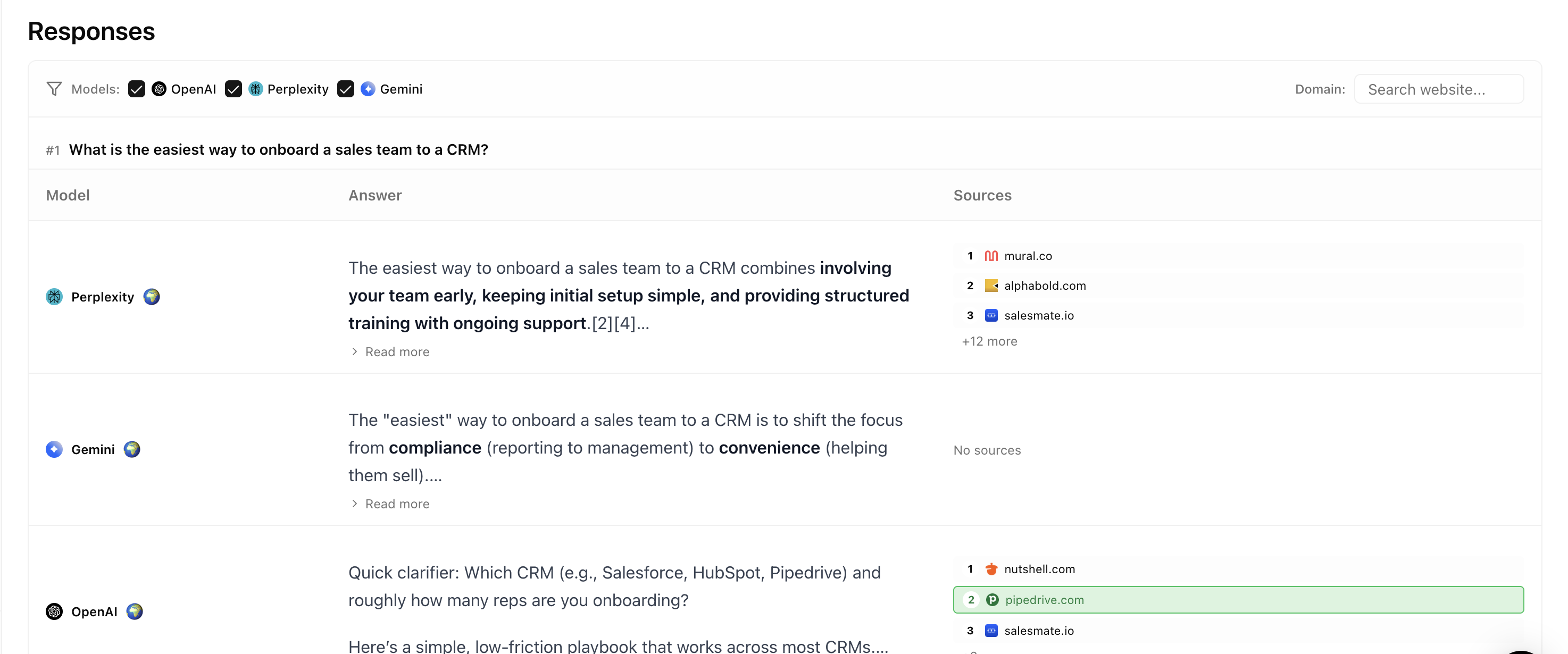
Understanding the table
Each row is one response from one AI model:One prompt in Attensira creates multiple responses. If you track 2 countries and 3 AI models, that is 6 individual responses per run.
Response detail
Click any row to see the full response: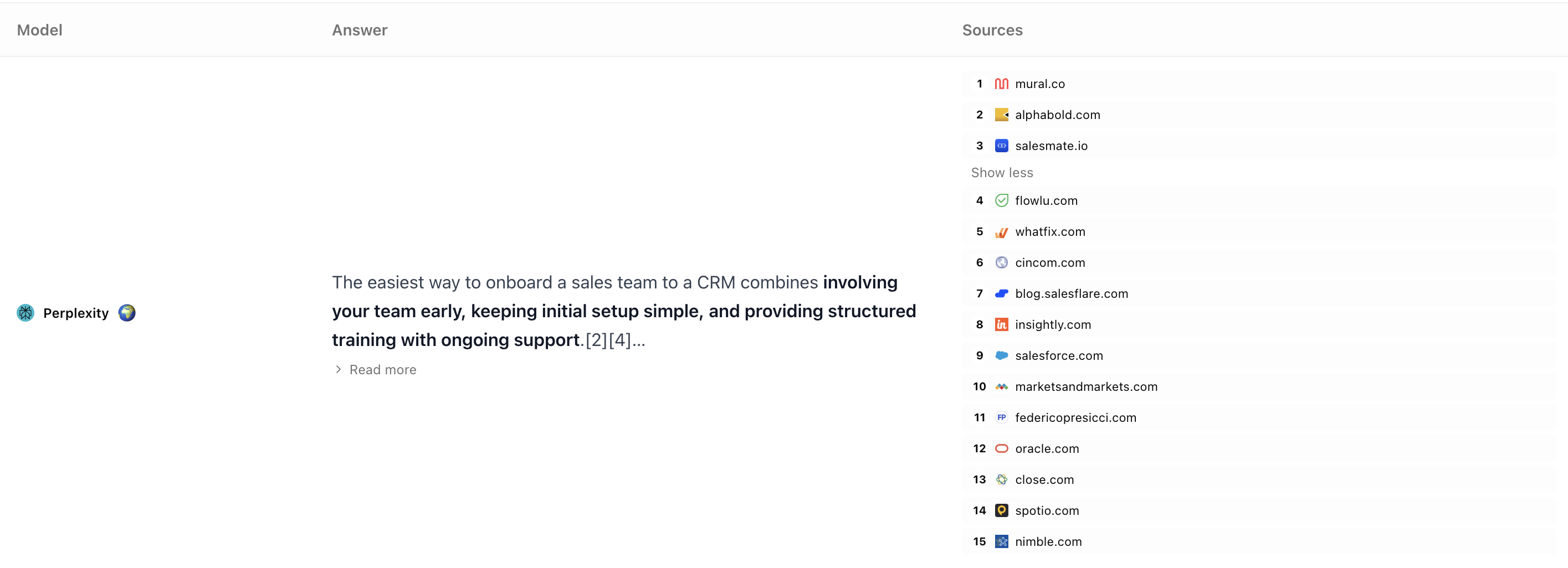
- Full AI response with your brand highlighted
- Sources cited in this specific response
- Competitor mentions and how they were described
- Sentiment breakdown
Filtering responses
Use filters to find patterns:Finding patterns
Look across responses to answer:- Why do I rank better on Claude? Filter by platform, compare attributes
- Why am I missing in the UK? Filter by country, check local competitors
- What makes me win? Filter Position = 1, analyze common factors
Next steps
Winning Prompts
Learn strategies to improve your ranking
Page Results
See performance from the page perspective